Your wedding, at a glance.
Set your date, venue, currency, and total budget. See the countdown, planning progress, guest replies, and upcoming tasks.
OPENNEXA WEDDING PLANNER
From the first to-do to the last dance. Keep your budget, guests, vendors, and plans together in one calm desktop app.
Version 1.2.1 · Windows x64 · 111 MB · License required
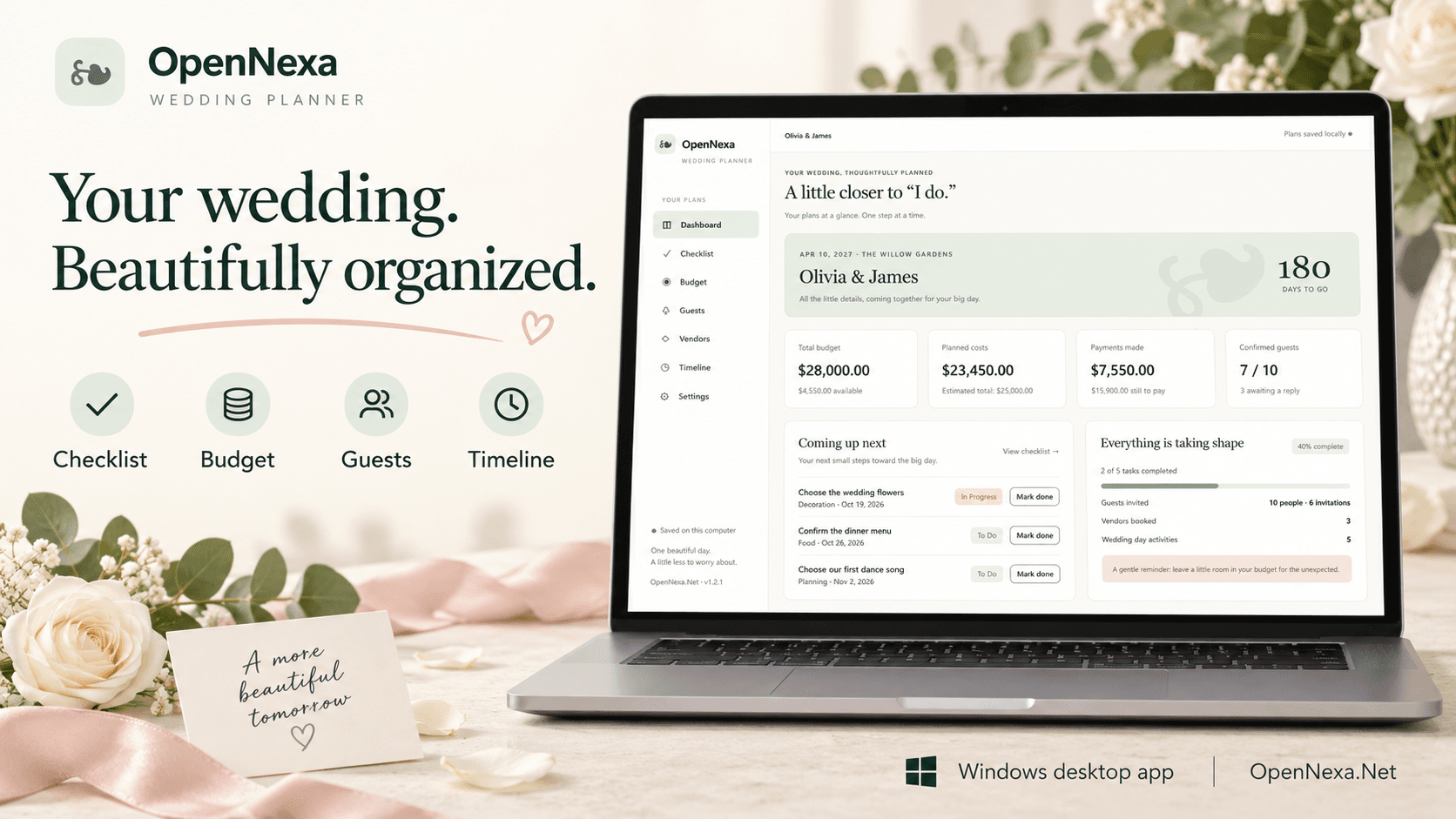
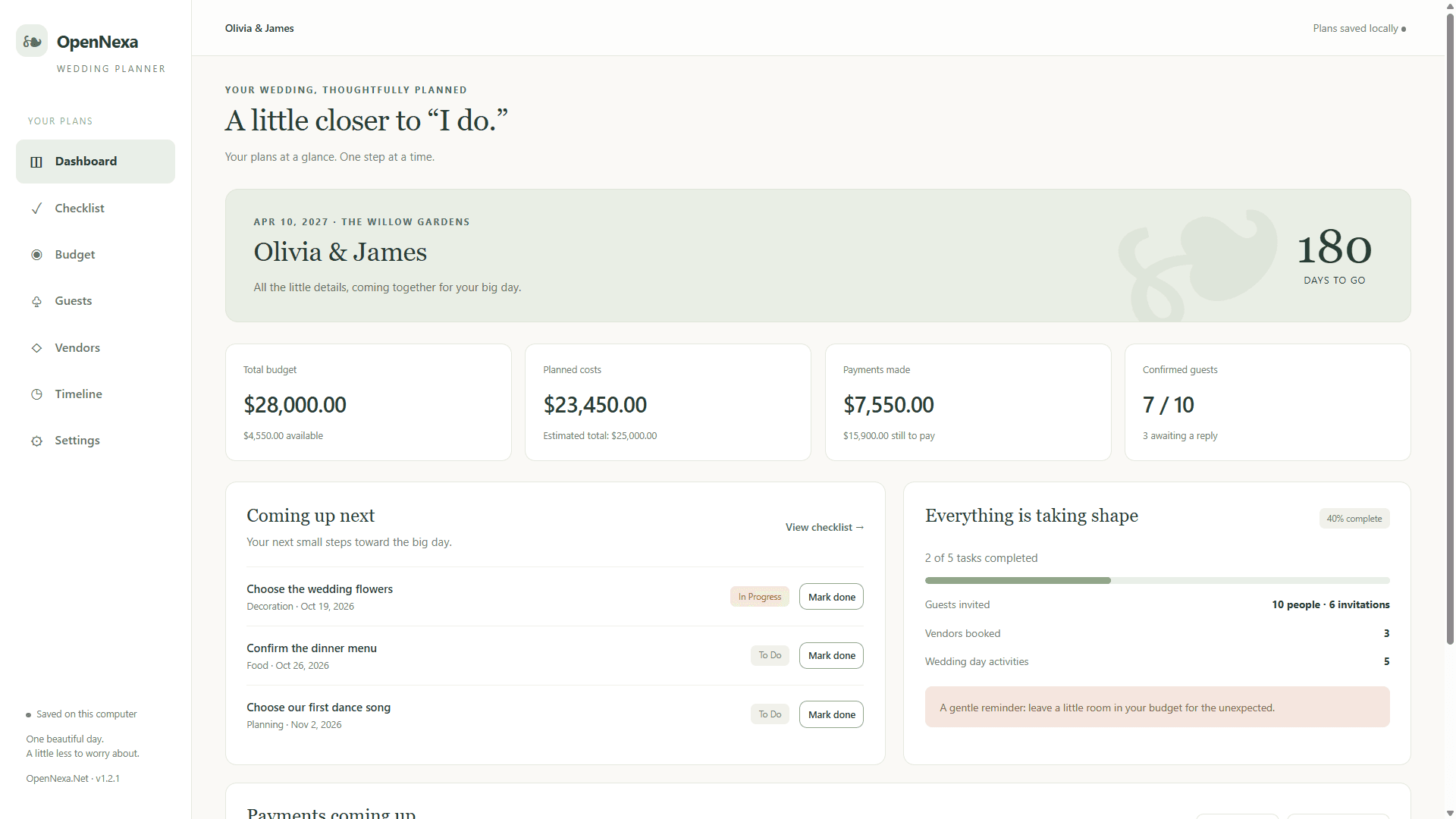
Actual app screenshot with fictional sample data. Your wedding records stay on your PC.
EVERY DETAIL HAS A PLACE
Six connected planning views, with a clear dashboard to bring it all together.
Set your date, venue, currency, and total budget. See the countdown, planning progress, guest replies, and upcoming tasks.
Start with a sample checklist or add your own tasks. Choose To Do, In Progress, or Done and keep dates, categories, and notes together.
Compare estimated and final costs. Record payments directly, review payment history, and see your remaining balance and budget warnings.
Manage invitation groups, party sizes, RSVP replies, contacts, and table numbers. Search, filter, and export your guest list to CSV.
Save vendor contacts, services, contract prices, deposits, payment deadlines, and the notes you need when making decisions.
Add activities with a start time, location, and person in charge. Your wedding timeline sorts automatically and is ready to print or save as PDF.
A LITTLE PEACE OF MIND
Changes save automatically on your computer. Close the app, come back later, and pick up where you left off.
Export your full wedding dataset in Settings. Keep a copy somewhere safe and restore it when you need it.
Online license activation and verification are required every seven days.
SEE HOW IT FEELS
Four 15-second recordings of the actual app. Silent videos with optional English captions.
Review the countdown, budget, and planning progress.
Update task progress and guest replies with a click.
Enter a payment and see the remaining balance update.
Add an activity and let the timeline put it in order.
INSIDE WEDDING PLANNER
Ten screenshots from the app. Select any image to see the details.
YOUR NEXT CHAPTER STARTS HERE
OpenNexa Wedding Planner 1.2.1
Windows x64 · Tested on Windows 11 · English interface
A purchased license key is required to activate. Etsy customers receive their unique key separately through Etsy Messages.
Internet is required for activation and license checks every seven days. One license, one computer.
Save the installer on your Windows PC and follow the setup prompts. The current installer is unsigned; Windows may show an unknown-publisher warning.
Open the app, connect to the internet, and activate the unique key issued to you. No account is needed.
Enter your wedding details, choose your budget and currency, and start with the sample checklist. Export a backup in Settings.
A FEW GOOD QUESTIONS
No account is required. Internet is needed to activate your license and verify it at least every seven days. Between successful checks, you can plan offline. If a required check cannot complete, reconnect to unlock planning features; your saved wedding data is retained.
Your installer download does not include a license. If you bought through Etsy, your unique license key is sent separately through Etsy Messages. Enter it inside the app while connected to the internet. Contact support if you have not received your key.
One license activates one computer. Sharing a key does not allow a second active computer. Contact support for help moving your license to a replacement PC.
Your records are saved automatically in your Windows user application data folder, separate from the installation folder. They are not stored in a cloud database. Use Export Backup in Settings to keep a copy, and Restore Backup when you need it. Restore asks for confirmation before replacing data.
Export the guest list and budget as CSV. Print or save the checklist and wedding day timeline as PDF. Export Backup and Restore Backup include your full wedding dataset.
This download is for Windows x64 and has been tested on Windows 11. The app interface is in English. The current version manages one wedding per dataset. A Mac release, mobile app, and browser version are not included.
The current installer is unsigned, so Windows may show an unknown-publisher warning. Confirm that you downloaded it from this official page. A SHA-256 checksum is available below. Contact support if you are unsure; you do not need to disable your security software.
Questions about installation, your license, or using an app?